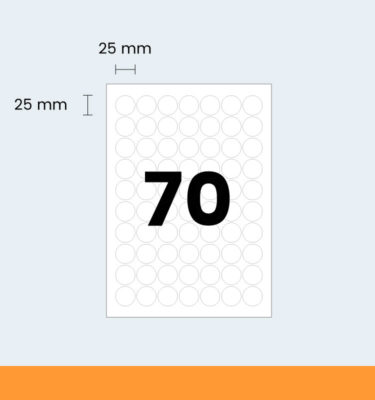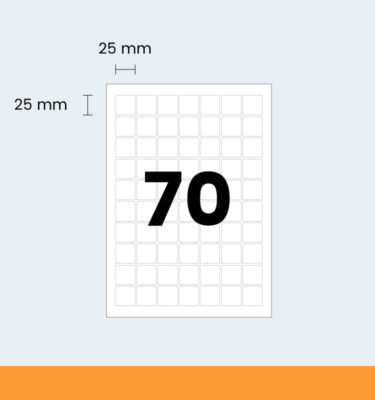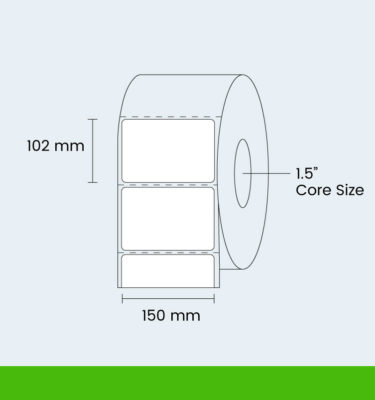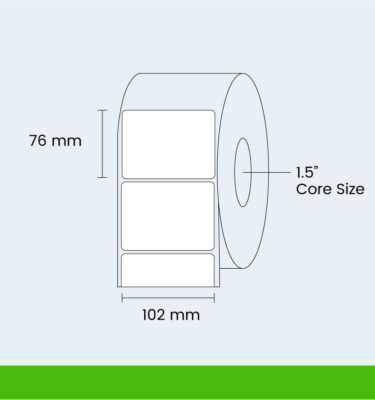
Laser labels & avery labels
All Laser labels can be printed using Laser
printers occasionally Avery Labels or Inkjet
labels on a A4 label sheets are
now the best means of producing high quality variable information.
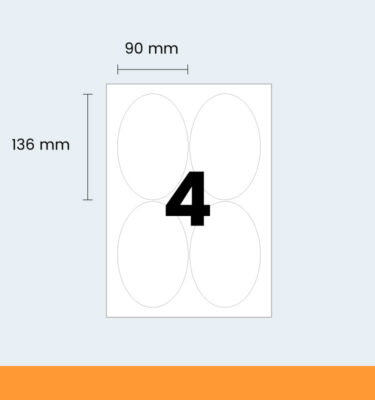
The print can include Logo's, Bar codes, Serial Numbers,
Large Characters and even sub zero font size characters.
The graphics capabilities from Black to all the colours of
the rainbow, there is almost no limit to how they can be
used to enhance your business image and productivity. With
machines costing from as little as £50 to a staggering £1
million plus there laser labels, avery
labels Inkjet labels and A4 label is perfect for
your business. Print speeds for desk top mono printers is
typically 10-60 pages per minute and full colour print is
available at only slightly slower speeds. Stand-alone machines
are up to 200 pages a minute already and will no doubt get
faster and provide even better quality. Its all a very long
way away from the days of Golf Ball Typewriters and then
dot matrix printers which whilst still available if you search
hard enough are slow and produce what would now be regarded
as totally unacceptable quality.
Avery labels
There is a lot of concern from users about the heat generated
onto avery labels run in a laser printer!
But have no fear, our labels are specifically designed to
manage and operate in these temperatures, but it should be
understood that the paper or labels or whatever you are printing
on is only subjected to the temperature for a very short
time. However, you should not experiment with putting other
materials through your laser printer, some materials will
melt and you should leave all the experimentation to us were
have tested all our laser labels! Furthermore we have a very
wide range of materials, including Removable, Freezer, Block
out, Glossy, Semi Glossy, Colours, Fluorescents, Metallic,
and plastic grades in Tough White, Matt transparent and Gloss
Clear. Which represents the widest, most developed range
in Europe which is available either off the shelf or in guaranteed
5 day turnaround!
Laser labels - inkjet labels
If your work requires the very best graphics output quality
then rather than laser labels it's inkjet labels you may
want to look at Inkjet printers rather than laser printers
or even the latest generation HP Indigo or Xiekon printers,
though these are professional production machines costing
hundreds of thousands of pounds. But for a small but committed
band of demanding users, inkjet labels is the preferred option
when image quality is the main priority. With best print
resolutions being at 3 or times that of laser labels!
However, to achieve this, the material you print on is critical
and if a gloss finish is required it’s also very expensive!
However at the base level our standard stock of A4 laser
labels sheet are suitable for Laser, Copier and inkjet labels
printers! The output quality would be similar to that achieved
on standard letter writing paper or copier paper!
So the standard laser labels ex stock material has been
designed for low cost high volume print mostly on mono printers,
but can also benefit from some splashes of colour, but if
you want to make the most of a colour image or logo, move
up a grade or two to our Semi Gloss (SGW) or Hi-Gloss (GW)
products on your laser printer or our Hi Res (MWHR) or Photo
Quality (GWPQ) materials for inkjet labels.
A4 laser labels
The machinery manufacturers make many recommendations when
using an A4 laser labels in their machines. These relate
to the settings, the preferred tray you should run A4 laser
labels from the way they are made, how they are packed, and
of the operator of the laser labels printer. We have spent
years developing these grades so that you don't have to worry
about all this stuff! Our recommendation for use is as follows:
When your A4 laser labels are delivered, if you have the
time leave them in their packaging for 48 hours near the
laser printer they will run on! This allows them to settle
at the same temperature as the machine lives in and helps
to ensure that there is no sudden curl from the temperature/humidity
shock of coming off a cold van into a hot and often humid
office. If you don't have time, give them a go and most of
the time all will be fine, but if they are a little troublesome,
have some patience and give them that day or two!
All our sheet products in A4 laser labels sheets,
A3 and SRA3 are supplied long grain which is specified as
being the preferable of all current printers on the market!
How do you use laser labels & inkjet labels?
So now we come to putting laser labels & inkjet labels
into the printer! At first, do nothing different, put them
in the tray you want and at the standard settings you are
already printing at, again for most people this works fine.
However, if the print quality is not as good as you'd like,
or there are a few jams, perhaps consider changing to the
printers label settings! This will change the way the machines
works to help ensure more reliable running and optimum print
quality in regards to toner adhesion etc! This is usually
done from your print screen. There should be a screen button
that says Options or Preferences etc and in there you can
optimise the settings for material, print quality etc. On
many machines these changes really do make a difference so
please try these options if you have any difficulties.
Benefits of adhesive Avery labels
Above all else, the use of adhesive Avery labels & laser
labels provides a massive saving in time. They eliminate
the use of the hand-writing of envelopes or the labeling
of boxes as many can be printed at any one time with the
same information or indeed different personalized information.
There is no further need for horrendous sticky tape to apply
hand-written pieces of paper as they have their own adhesive.
Because they are computer generated the information that
can be applied is limitless, you can add a picture, a photo
even and the text will naturally be much clearer than often
confusing hand-writing which prevents errors.
The uses for adhesive laser labels are practically endless,
just think of all the instances when you need to advise someone
of the same information over and over again – a change
of address or other contact details, the contents of a box,
invitations, reply envelopes etc. In all of these instances,
laser labels printed with the information can save time and
effort in continuously repeating the same information.